Automating Your Finances: Set Up a System That Runs Itself
A complete guide to building an automated financial system — from salary day to investments — that manages your money without constant manual effort.
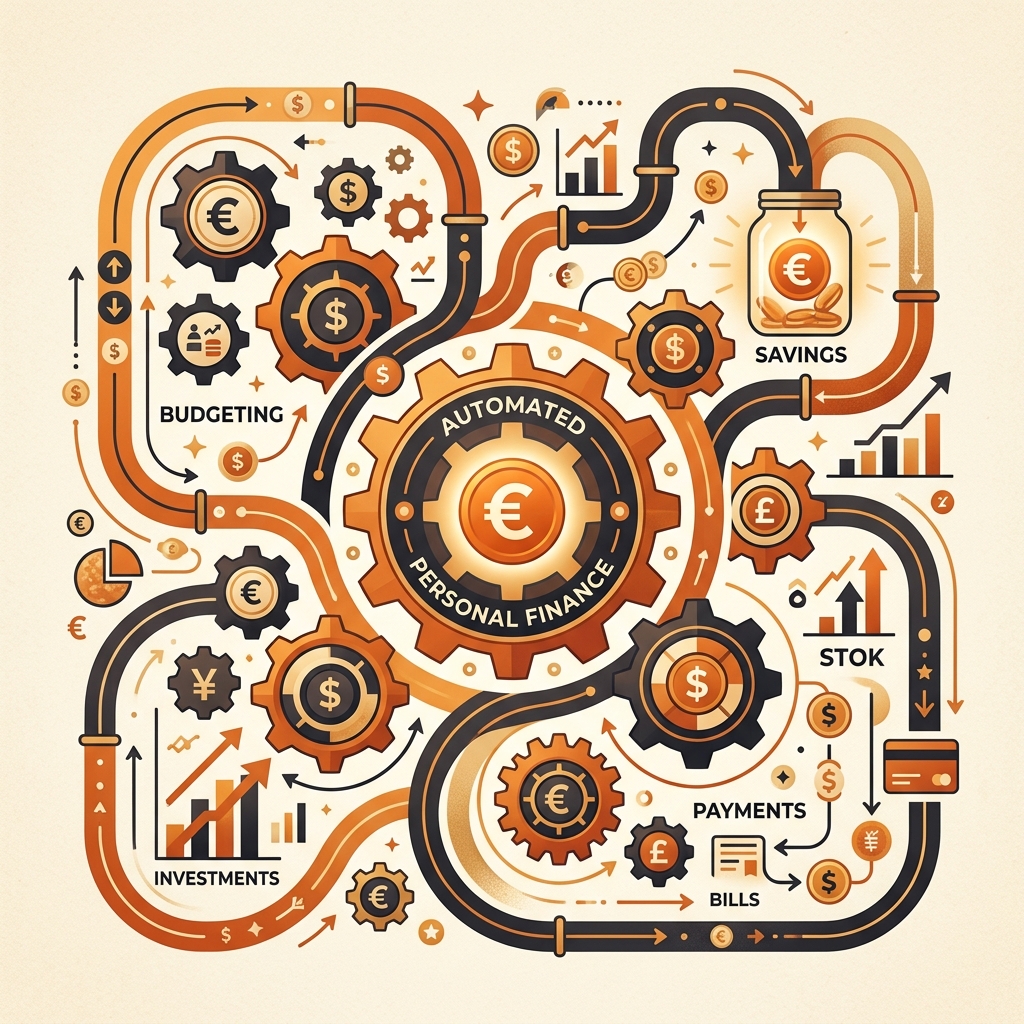
The best financial system is one you don’t have to think about. After three years of manual budgeting, tracking, and transferring money between accounts, I spent one weekend building an automated financial pipeline. Since then, my savings rate has increased from 18% to 27% — not because I’m more disciplined, but because the system removes the need for discipline entirely.
The Core Principle: Automate Before You Can Spend
The fundamental problem with manual money management is that you see your full salary in your account and mentally treat all of it as “available.” Even if you intend to save ₹15,000, the sight of ₹75,000 in your account creates a psychological permission to spend more loosely.
Automation solves this by splitting your salary before you ever see the full amount. By the time you check your spending account, the essentials, savings, and investments have already been handled. You’re spending from what remains — and what remains is pre-approved for spending.
The Automated Money Pipeline
Here’s the exact system I use, triggered by salary credit on the 1st of each month:
Day 1: Salary Arrives → Automatic Splits
Savings Account 1 (Primary — receives salary) This account’s only job is to receive salary and immediately distribute it.
Automated transfers on Day 1 or 2:
- ₹8,000 → Investment account (SIP in mutual funds via Groww/Zerodha)
- ₹3,000 → High-yield savings/FD (emergency fund, auto-swept)
- ₹2,000 → “Freedom Fund” savings account (for travel, gadgets, goals)
- ₹20,000 → Rent standing instruction
- ₹5,000 → Loan EMI auto-debit
What remains in primary account: ~₹37,000 This is your monthly operating budget. Everything above has been automatically secured.
Day 3-5: Bills Auto-Pay
Set up auto-pay for all recurring bills:
- Electricity (auto-debit via BBPS)
- Internet + Phone (auto-pay)
- Streaming subscriptions (card auto-charge)
- Insurance premiums (annual, divided into monthly standing instructions)
After automatic bills, approximately ₹32,000 remains for discretionary spending.
Throughout the Month: Spend First, Track Weekly
The remaining ₹32,000 is your guilt-free operating fund for groceries, transportation, dining, entertainment, and personal expenses. Because savings and bills are already handled, you can spend from this pool without anxiety.
Use the “10-minute Saturday review” method to track where this discretionary spending goes — but the key insight is that even if you spend every last rupee, your financial obligations and savings are already secured.
Setting Up Each Automation
Mutual Fund SIPs
Where: Groww, Zerodha (Coin), or directly through AMC websites How: Set a monthly SIP with auto-debit from your primary bank account When: Schedule for Day 2 of each month (Day 1 might have processing delays) Pro tip: Set the SIP amount slightly lower than your target. Auto-increasing SIPs by ₹500 every 6 months is easier psychologically than setting an aggressive amount and pausing it.
Bill Payments (BBPS)
Where: Your bank’s mobile app or Google Pay/PhonePe How: Most utility providers support BBPS (Bharat Bill Payment System) auto-pay. Register your account once, set a maximum limit, and bills are paid automatically when generated. Caution: Set a maximum auto-pay limit to prevent surprises. If your electricity bill is usually ₹1,500, set the limit at ₹3,000 — it handles normal months automatically but blocks an unusually high bill for your review.
Rent Payments
Where: Bank standing instruction or recurring UPI mandate How: Set a standing instruction to transfer rent on day 1-3 of each month. Some banks offer this through net banking; others require a branch visit for the initial setup. Alternative: If your landlord prefers UPI, set a recurring payment mandate through Google Pay or PhonePe.
Emergency Fund Auto-Sweep
Where: Your bank’s sweep-in FD feature How: Most banks offer “auto-sweep” — when your savings account balance exceeds a threshold, the excess automatically converts to a fixed deposit earning higher interest. If you need the money, it auto-breaks the FD. Setup: Set the sweep threshold at one month’s expenses. Anything above that automatically earns FD rates while remaining instantly accessible.
The Three-Account System
For this automation to work cleanly, I recommend maintaining three accounts:
Account 1: Income Hub (Primary)
- Receives salary
- Auto-distributes to other accounts and investments
- Maintains minimum balance only
- You rarely interact with this account after setup
Account 2: Operating Account (Daily Use)
- Receives your discretionary spending allocation
- Linked to your primary UPI and debit card
- This is the only account you check regularly
- When this account gets low, it’s a natural spending brake
Account 3: Safety Net (Emergency + Goals)
- Receives emergency fund and goal-based savings
- Auto-sweep FD enabled
- You only touch this for genuine emergencies or planned goals
- No debit card or UPI linked — adding friction to withdrawal is intentional
Some people use just two accounts (combining 1 and 2), which works if you’re disciplined about not spending the money that’s earmarked for auto-payments.
What If Your Income Is Variable?
For freelancers and gig workers with irregular income, modify the system:
- Buffer month: Save one full month’s expenses as a buffer in Account 1. This ensures auto-payments go through even in low-income months.
- Percentage-based triggers: Instead of fixed amounts, set transfers as percentages. When income is high, more flows to savings. When low, the system adjusts automatically.
- Priority queue: If income can’t cover everything, have a written priority order. Essentials first, then minimum savings, then discretionary. Variable income should never disrupt essentials.
The Maintenance Routine
Once set up, total maintenance takes about 30 minutes per month:
- Day 1: Verify salary credit and check that auto-transfers executed (2 minutes)
- Weekly: Saturday 10-minute spending review
- Day 28-30: Quick check that next month’s standing instructions are funded and scheduled (5 minutes)
- Quarterly: Review SIP amounts, bill averages, and adjust automations (15 minutes)
Real Results: Before and After
| Metric | Before Automation | After Automation (12 months) |
|---|---|---|
| Savings rate | 18% | 27% |
| Missed bill payments | 2-3 per year | 0 |
| Over-budget months | 6 out of 12 | 2 out of 12 |
| Time spent on finances | 4-5 hours/month | 1 hour/month |
| Stress about money | High | Minimal |
The 9% savings rate improvement translates to approximately ₹65,000 additional savings per year on a ₹60,000 monthly salary. Over 10 years at 12% returns, that’s over ₹15 lakh in additional wealth — just from automating what you were going to save anyway.
Your Setup Weekend
Block 2-3 hours on a Saturday and do everything at once:
- List all recurring payments and their amounts
- Set up standing instructions for rent and EMIs
- Register for BBPS auto-pay for utilities
- Create or verify your SIP setup
- Enable auto-sweep on your savings account
- Transfer your first month’s allocations manually as a test run
- Set calendar reminders for the monthly maintenance routine
The upfront effort is real but one-time. After that, your financial system runs itself — and you spend your mental energy on things that actually matter.
PayWise Team
Personal finance enthusiast and tech writer at PayWise. Passionate about making digital finance accessible to everyone through practical, experience-based guides.