How Digital Wallets Actually Work: A Simple Technical Breakdown
Ever wondered what happens behind the scenes when you tap to pay? This guide explains the technology behind digital wallets like Google Pay, Apple Pay, and PhonePe in plain English.
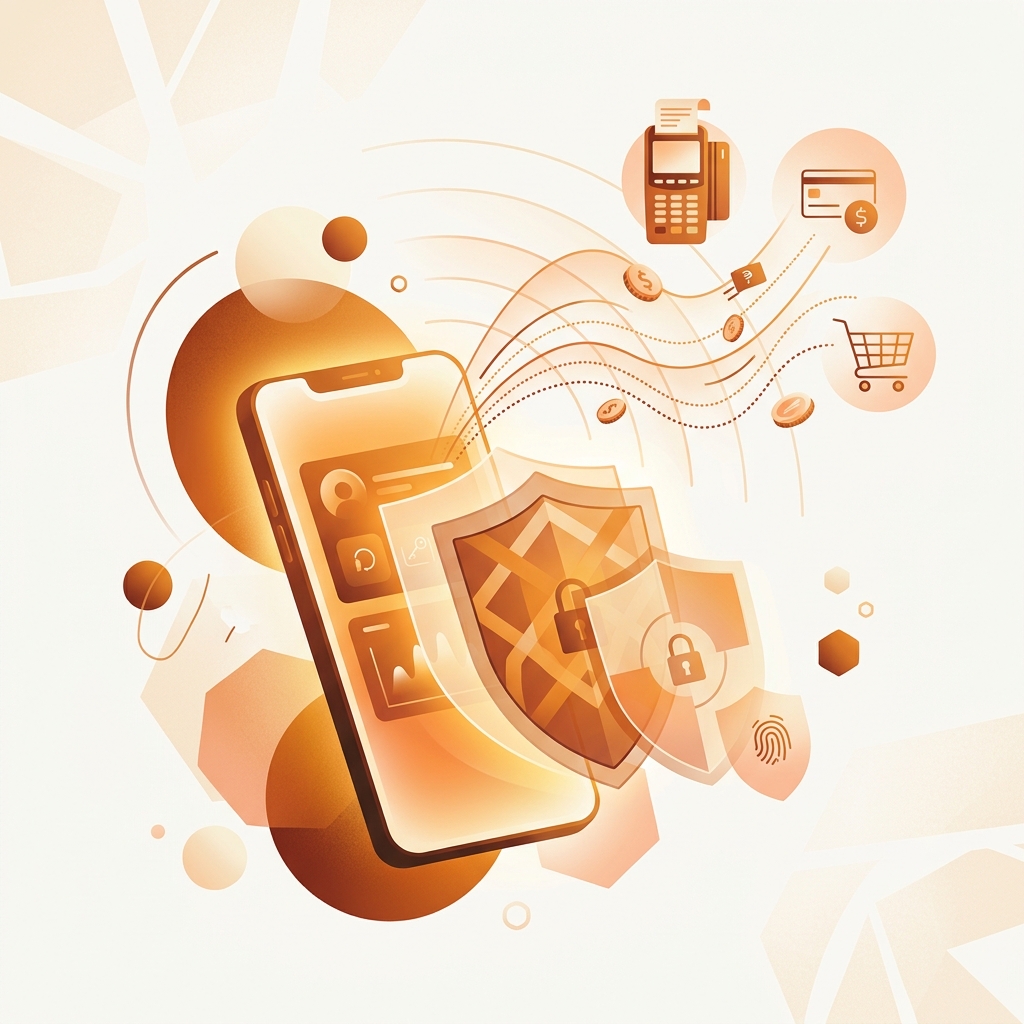
You hold your phone near a terminal, it beeps, and you’ve paid for your coffee. But what actually happened in that fraction of a second? The technology behind digital wallets is genuinely fascinating — and understanding it makes you a smarter, more secure user.
The Three Layers of a Digital Wallet
Every digital wallet — whether it’s Google Pay, Apple Pay, Samsung Pay, or PhonePe — operates on three interconnected layers. Think of them as floors in a building.
Layer 1: The Secure Element (The Vault)
Your actual card number never lives on your phone in plain text. Instead, digital wallets use a technology called tokenization. Here’s what that means in practice:
When you add a Visa card ending in 4523 to Google Pay, Google doesn’t store “4523.” Instead, it contacts Visa’s Token Service, which generates a completely different number — say, 7891 — that’s mathematically linked to your real card but useless if stolen on its own.
This token is stored in one of three places:
- Hardware Secure Element (SE): A tamper-proof chip physically built into your phone (used by Apple Pay and Samsung Pay). This is considered the gold standard because even if someone jailbreaks your phone, they can’t extract the token.
- Trusted Execution Environment (TEE): A walled-off section of your phone’s main processor that runs independently from the operating system. Android devices commonly use this.
- Cloud-based (Host Card Emulation): The token lives on remote servers and is fetched when needed. This is how many UPI-based wallets work.
Layer 2: The Communication Protocol (The Bridge)
When you hold your phone near a payment terminal, they need to “talk” to each other. This happens through one of several protocols:
NFC (Near Field Communication): The most common method for tap-to-pay. NFC works at a range of about 4 centimeters and transfers data at 424 kbps. The extremely short range is actually a security feature — someone across the room can’t intercept your payment.
The NFC transaction follows this sequence:
- Your phone enters the terminal’s electromagnetic field
- The terminal sends a “wake up” signal
- Your phone responds with the payment token (not your real card number)
- The terminal forwards this token to the payment processor
- The processor contacts the token service to verify and map it to your real card
- Your bank approves or declines the transaction
- The terminal confirms payment
This entire sequence takes 300-500 milliseconds.
QR Codes: A simpler alternative used extensively in India and Asia. Instead of NFC radio signals, the payment information is encoded in a visual pattern. The merchant displays a QR code containing their payment address, your phone scans it, and the transaction is processed through UPI’s central system (NPCI).
Magnetic Secure Transmission (MST): A Samsung-exclusive technology that mimics the magnetic stripe of a physical card. Samsung Pay can transmit payment data to traditional card swipe machines that don’t support NFC. It’s being phased out but was genuinely clever engineering.
Layer 3: The Processing Network (The Highway)
Once your payment token leaves your phone, it enters the payment processing network. For card-based transactions, this involves:
- Payment Gateway: The merchant’s front door for digital transactions. Companies like Razorpay, Stripe, or PayU handle this.
- Card Network: Visa, Mastercard, or RuPay routes the transaction from the gateway to your bank.
- Issuing Bank: Your bank that holds your money. It checks your balance/credit limit and approves or declines.
- Token Service Provider: Simultaneously verifies that the token is valid and maps it to your actual card number (which only the bank sees).
For UPI transactions, the path is different:
- Your phone app contacts the NPCI (National Payments Corporation of India)
- NPCI routes the request to your bank (the “remitter”)
- Your bank debits your account
- NPCI routes the money to the merchant’s bank (the “beneficiary”)
- Confirmation flows back through the chain
Why Tokenization Changes Everything
Before tokenization, online merchants stored your actual card number. If their database was breached (which happened regularly), criminals had everything they needed to use your card. The 2013 Target breach exposed 40 million card numbers because they were stored in plain text.
With tokenization:
- Merchants never see your real card number
- Each token is device-specific — a token generated for your phone won’t work on someone else’s device
- Tokens can be instantly disabled without canceling your physical card
- Even if a token is intercepted during transmission, it’s useless without the cryptographic keys stored in your phone’s secure element
Since the RBI mandated tokenization for all online card transactions in India in 2022, card fraud has decreased by approximately 40% according to industry reports.
Biometric Authentication: The Gatekeeper
Before any of the above steps happen, your phone needs to confirm that you are the one making the payment. This is where biometric authentication comes in:
Fingerprint: Your fingerprint scan is converted into a mathematical template (not an image) and stored locally in the Secure Element. When you authenticate, your phone compares the live scan against the stored template. A match rate of 98%+ triggers approval. The template never leaves your device.
Face Recognition: Apple’s Face ID projects 30,000 invisible infrared dots onto your face to create a 3D depth map. This map is compared against the enrolled template. It works in the dark because it uses infrared, not visible light. The depth component makes it nearly impossible to fool with a photograph.
UPI PIN: For UPI transactions, you enter a 4-6 digit PIN. This PIN is encrypted on your device and sent directly to your bank — the UPI app itself never sees or stores your PIN in unencrypted form.
Common Misconceptions Debunked
“My phone stores my card details”: No. It stores a device-specific token. Your actual card number exists only at your bank.
“NFC payments can be intercepted”: Theoretically possible but practically incredibly difficult. The 4cm range means an attacker would need to be physically touching your phone, and the encrypted token they’d capture is useless without your phone’s secure element keys.
“If I lose my phone, someone can make payments”: Every transaction requires biometric authentication or a PIN. Without your fingerprint, face, or PIN, the wallet is locked. You can also remotely wipe your phone and disable all tokens instantly.
“Digital wallets track all my purchases”: The wallet app does see your transaction history. However, the payment itself is processed by your bank. The wallet acts as a conduit, not a surveillance system. That said, read the privacy policy of your specific wallet to understand what data they retain.
The Future: What’s Coming in 2026-2027
Several developments are reshaping digital wallets:
- CBDC Integration: India’s eRupee (digital rupee) is being integrated into existing wallet apps, creating a government-backed digital currency option alongside UPI and cards
- Offline Payments: New NFC protocols allow payments without internet connectivity — critical for rural areas
- Wearable Payments: Smartwatches and fitness bands with payment capabilities are mainstreaming. The secure element technology that protects your phone wallet now fits in a watch chip
- Cross-Border UPI: UPI linkages with Singapore (PayNow), UAE, and other countries are making international transfers as easy as domestic ones
Understanding how these systems work isn’t just academic — it helps you make informed decisions about which payment methods to trust with your money, how to respond if something goes wrong, and how to take advantage of the security features your wallet already offers.
PayWise Team
Personal finance enthusiast and tech writer at PayWise. Passionate about making digital finance accessible to everyone through practical, experience-based guides.